
 Find content
 Male
Male






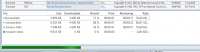
When the user is using a windows 32-bit application and is running on a windows 64-bit operating system, you may find that Task Manager and the option to analyze the wait chain tree will reveal that there are various wait chain processes that are using or waiting to use a resource that is being used by another process. The splwow64.exe printer driver was kept open by Microsoft and had not timed out or the process had not been terminated. Microsoft had kept that process open, as they expected that another print option would be requested.
e-Sword user, PastorRusselH had used his e-Sword to print to a printer located at his church. He discovered that the most effective method was to remove that printer as the default printer to be used to print a document page from his PC or Laptop. Then the other printer options would be seen, which he uses when he connects his e-Sword on his device, to the printer in his home office. He could now select the required printer.
So when you change the environment in which you use e-Sword, remember that the selection of the printer is one of the important ingredients in the solution.
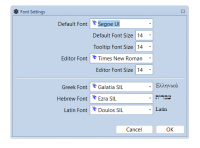
Something similar occurs when you want to preview what a page might look like if you were to print it - the size of font and the type of font affects how the characters would be positioned on the page, that is set to a specific width and length. When you send something to the printer, the printer, again, may reformat the content of the document page, including the additional header and footer details that include the file name, the title, and the date and time, and the source details, and the widths of the borders of the page, all over again.
Again, when you LOGIN to biblesupport.com, if the login is ineffective, look in the access of the website name, and change the URL from https:// to http://
This will be important as from the beginning of October 2026, when the release of Chrome 154 will impact all users, worldwide, when Chrome's new HTTPS first-default will add a permission step before HTTP pages that load. The browsers will default to https:// by design. Then when you access Bible Support, if you first select the "Home" Tab, before you try to Sign In, this will be another helpful option. And try to remember to Sign Out, before you close the access to bible support - because this does not always time out correctly.