Jump to content

miro

Member Since 15 May 2016
Offline Last Active Sep 13 2026 09:00 PM
-----

#49581 adjust the table column

Posted by miro on 24 February 2026 - 07:01 PM

Hello,

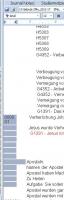
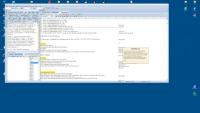
Image 1:

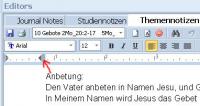
How do I move this part left or right?

So that I can adjust the table column correctly?


The column has shifted, and I can no longer adjust it to correct the problem.

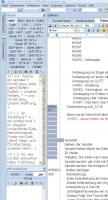
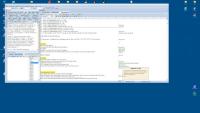
The second image shows the issue. Compared to the first image, you can see that two different widths have appeared.
How can I restore the column width to the same size?


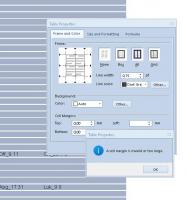
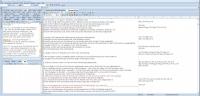
Image 3 shows this: I cannot grab the vertical line with the mouse and cannot move it into the correct position. 


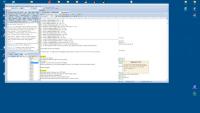
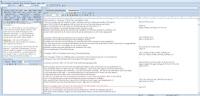
Image 4 show one Error


Thanks for the information.

Regards, Miro
Attached Thumbnails

  • 014 Tab.jpg
  • 015 Tab.jpg
  • 016 tab.jpg
  • 017 Tab.jpg


#49565 Are there serious bugs in E-Sword 14.5, or am I just unlucky?

Posted by miro on 23 February 2026 - 11:46 AM

Hi 

I've noticed that eSword 14.5 isn't working reliably.

Saving isn't always successful.

Text background colors aren't saved.

When I hover over links, often incorrect  Pop-Ups window.

Sometimes I have to click a link 20 times before a Pop-Ups window even appears.

The Bible link doesn't always link to the Bible either.

Have you experienced similar problems?

Or am I the only one experiencing these issues?

Regards


Attached Thumbnails

  • 08 Mat-10 zeigt Marklus 12.jpg
  • 009 Markus 16 n zeigt Jeramia 3.jpg
  • 010 Philipa 4 zeigt Mar 12.jpg


#49564 Text on the same level in a table

Posted by miro on 23 February 2026 - 08:02 AM

Hello, how can I align text on the same level in a table with two columns?

I'm having constant trouble aligning the text in a single line.

The text is formatted the same way on both sides of the table.

The red line is an underline, and Heb_9:27 belongs to the same level.

I just can't get them to line up. I've included a screenshot showing the text one line higher and the other one line lower, but it still doesn't work.

Do you have any helpful tips?

Thanks


Attached Thumbnails

  • 011 Text Oben.jpg
  • 0012 Text zu tief.jpg


#49563 How to change the text color and text background v.14.5 ?

Posted by miro on 23 February 2026 - 05:08 AM

Hello

I'm upgrading from E-Sword v13 to 14.5 and I can't find the right buttons.

How do I create a text background in E-Sword v14.5 to change the text color?

How do I change the text color in E-Sword v14.5?

Unfortunately, I can't find for for study notice

a way to change notes these options with a single click.

Best regards, Miro


PS. Thanks... Never mind.


#49504 Greek letter problem in the dictionary

Posted by miro on 16 February 2026 - 09:30 AM

Hi


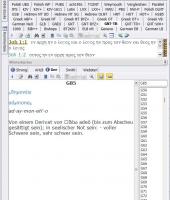
I'm having trouble with the Greek letter representation in the dictionary...


Is there a solution for this?


Thanks in advance.


Best regards,

Miro

Attached Thumbnails

  • 013.jpg


#49473 Strong's links in my German translation

Posted by miro on 11 February 2026 - 08:57 AM

Hello dear friends,

I'm translating Strong's from English to German for people who don't speak English.

I notice that the Strong's in my translation constantly link to the English Strong's... This isn't ideal.

Because when I click on a different Strong's link in my translation, it reverts to English.

My question is:

How can I create my own Strong's links within my German translation that link back to my original German translation?

For example, in my German translation of Strong's G5346, there are further references to Strong's G5457, G5316, and G3004. When you hover over these references, a window opens with the English Strong's information. I'd like the German translation to appear there as well.
How I do that?
Thanks for any tips!


#49368 Remove Bible from E-Sword 13.00

Posted by miro on 02 January 2026 - 12:17 PM

If you browse down the options in the Download option of e-Sword, you will find the Kannada Easy-to-Read Version and the Kannada Indian Revised Version. Last updated by Rick Meyers 10/22/2022. Is that the versions of the Bible that you are referring to?


Thank you... I found it and it worked.


Many thanks,

Miro!


unter: 

E-Sword > optionen > hilfsmittel > Bibel 


#49362 Remove Bible from E-Sword 13.00

Posted by miro on 02 January 2026 - 11:18 AM

Hello

How can I remove the incorrectly installed Bible from the Online download?


It's the "Kannada ERV" Bible, but it's not in the PC E-Sword installation directory.

How do I uninstall it now?


I installed the 52-part Bible in eSword, but the installation directory only contains 31 bblx files. Where are the rest?


Thanks for any information.

Greeting

Miro 


#48344 Why does this message?

Posted by miro on 15 May 2025 - 08:17 AM

Hello
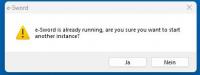
Why does this message appear when I start e-sword?
No one e-sword instance is running.
This is the first time I've started e-sword.
 
Greetings

Attached Thumbnails

  • esword.jpg


#48328 Study Notes loses the formatting

Posted by miro on 12 May 2025 - 05:13 AM

Hello

For some time now,

I've been having a problem where the font formatted with tabs in "Study Notes" no longer works.

For example, if I move a word using the tab key, the same word no longer appears in the same place when I restart E-Sword...

The formatting is also lost...


How can I solve this?

Thanks for the info.


Best regards

miro


#47480 Correctly displaying umlauts, and Hebrew and Greek letters in Bible commentar...

Posted by miro on 08 December 2024 - 02:12 AM

Hello friends of GOD'S word

How can I correctly display Hebrew letters in a self-created Bible commentary?
At the moment only "hieroglyphs" are used instead of the umlauts.
Thanks for the instructions

Kind regards
Miro


#47084 Problems with word search

Posted by miro on 06 October 2024 - 04:47 AM

for the Tooltip Tool... This allows you to create your own Bible


http://www.biblesupp...ws-environment/


#47072 Problems with word search

Posted by miro on 05 October 2024 - 11:09 PM

Hello
I have converted the .bblx to .bbli so that umlauts can also be found in the search function.
Unfortunately, that doesn't work:
There are 84 words "greater" in the Bible
but the search function only finds 20 words in total.

Image 1. I replace the copied word "larger" from the Bible text and replace it with the written word "larger"
Image 2. 84 words are found and replaced
Image 3. Search function only finds 20 words "greater"
Image 3 The word I'm looking for exists in the Bible. But it is not found.

What could be the cause?

Kind regards
miro


#45437 Search function in topic notes and study note

Posted by miro on 16 November 2023 - 05:02 AM

Hello

I have a suggestion to make E-Sword even more attractive.

E.g. I miss a search function in topics and study notes.

Sometimes you search for a keyword that leads to a Bible text through a link...

My topic notes are quite large and very detailed, my thoughts are also written down to make it easier to understand the Bible...

Because it's easier to keep your own thoughts in your head than the Bible text itself

If I now want to find a Bible text, I don't have a search function in the topic notes that can direct me there.

It would be nice if there was a search function in topic notes and study notes too.

Best regards

Miro


#33074 E Sword and ToolTip Tool problems on Windows 10

Posted by miro on 29 March 2018 - 03:50 PM

OK, just by looking at the path you installed e-Sword seems to show the cause of your error.


e-Swords default path is C:\Program Files (x86) e-Sword. C: being the Hardrive (HD) or Solid State drive (SSD) where Windows is installed, and is the default location where all 32 bit Apps are installed.

Hi

Thanks for your support ...
I have solved the problem now.
It was "Windows Defender Security Center" problem


Greeting